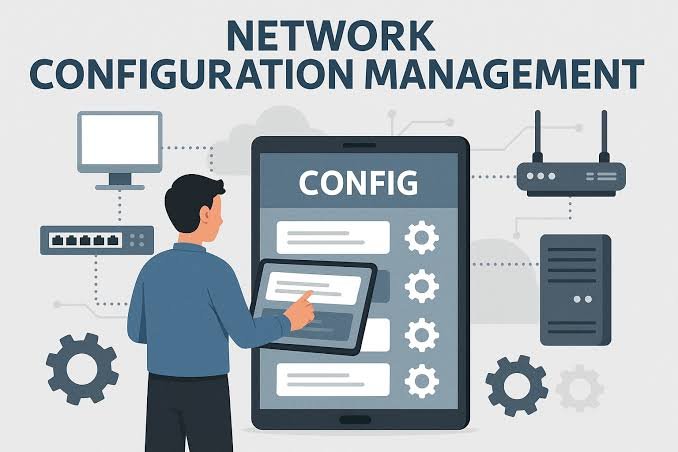
Network device config management is the process of controlling, tracking, backing up, and standardizing configurations across routers, switches, firewalls, SD-WAN devices, and other network infrastructure. For large enterprises, it helps reduce configuration errors, detect configuration drift, maintain compliance, and keep network operations consistent across distributed environments.
What Is Network Device Config Management?
Network device config management provides a structured way to manage how network devices are configured throughout their lifecycle.
Instead of engineers manually checking individual devices and maintaining configuration files separately, a network configuration management approach creates centralized control over activities such as:
- Device discovery and inventory
- Configuration backups
- Configuration version control
- Baseline configuration management
- Change tracking
- Configuration drift detection
- Compliance validation
- Configuration rollback
- Automated remediation
This becomes particularly important when an enterprise operates a combination of on-premises infrastructure, cloud networks, SD-WAN, security appliances, and devices from multiple vendors.
Tata Communications describes network configuration management as a discipline that helps maintain control in complex hybrid environments, where unmanaged changes can create operational, security, and compliance risks.
Why Network Device Config Management Matters
A network can contain hundreds or thousands of devices, and each device may have configuration settings that affect routing, security, performance, and connectivity.
A single incorrect change can have consequences beyond the device itself.
For example, an engineer might modify a firewall rule during troubleshooting and forget to restore the original configuration. The immediate issue may appear resolved, but the network could remain exposed to an unintended security or connectivity risk.
Effective network device config management helps organizations maintain a known and approved configuration state.
Key benefits include:
| Benefit | How it helps |
|---|---|
| Configuration consistency | Keeps devices aligned with approved standards |
| Backup and recovery | Makes it easier to restore previous configurations |
| Change visibility | Shows what changed, when, and where |
| Drift detection | Identifies deviations from approved configurations |
| Compliance | Supports configuration controls and audit requirements |
| Automation | Reduces repetitive manual configuration work |
| Multi-vendor management | Helps teams manage heterogeneous network environments |
| Faster troubleshooting | Gives engineers configuration history and context |
How Network Device Config Management Works
A mature network device config management process generally follows a lifecycle rather than treating configuration as a one-time activity.
1. Discover network devices
The first step is knowing what exists.
Automated discovery can identify routers, switches, firewalls, SD-WAN devices, and other network components. Maintaining an accurate inventory is important because an organization cannot effectively manage configurations for devices it does not know about.
2. Create configuration baselines
A baseline defines the expected configuration for a particular device, role, or environment.
For example, an enterprise could establish separate standards for:
- Branch routers
- Data center switches
- Internet-facing firewalls
- SD-WAN edges
- Cloud network appliances
These baselines provide a reference point for identifying unexpected changes.
3. Back up configurations
Regular configuration backups create a recovery point.
If a configuration change causes an outage, engineers can compare the current configuration with previous versions and, where appropriate, restore a known working state.
4. Track configuration changes
Configuration management should provide visibility into changes.
A useful record should answer questions such as:
- What configuration changed?
- Which device was affected?
- When did the change occur?
- Who initiated it?
- Was the change approved?
- Did the device return to the expected state?
This information becomes particularly valuable during troubleshooting and audits.
5. Detect configuration drift
Configuration drift occurs when a device gradually moves away from its approved configuration.
Consider a company with 500 branch routers. If one router receives a manual configuration change that is never reflected in the approved baseline, that device can eventually behave differently from the other 499.
Continuous drift detection can identify this difference before it becomes a larger operational problem. Tata Communications highlights continuous monitoring, automated validation, and real-time correction as important capabilities for modern network configuration management.
6. Remediate configuration problems
Once an unwanted configuration change is detected, the organization can investigate and correct it.
Depending on the environment, remediation could involve:
- Restoring an approved configuration
- Reversing an unauthorized change
- Creating a controlled change request
- Updating the baseline
- Escalating the issue to a network or security team
Automation can reduce the amount of repetitive manual work involved.
Network Device Config Management vs Network Monitoring
These two functions are related, but they are not identical.
| Network Device Config Management | Network Monitoring |
|---|---|
| Manages device configurations | Monitors network health and performance |
| Tracks configuration changes | Tracks availability, latency, traffic, and other metrics |
| Detects configuration drift | Detects performance or connectivity problems |
| Maintains configuration backups | Generates operational alerts |
| Enforces configuration standards | Helps identify active network issues |
| Supports configuration compliance | Supports performance and availability management |
In practice, enterprises often need both. Monitoring can identify that something is wrong, while configuration management can help determine whether a configuration change contributed to the problem.
Configuration Drift Is a Major Enterprise Challenge
Configuration drift often develops gradually.
Common causes include:
- Emergency changes made during outages
- Manual CLI changes
- Incomplete rollback procedures
- Firmware upgrades
- Device replacements
- Different configurations across branch locations
- Unauthorized changes
- Changes that were made correctly but never documented
The problem becomes harder when an organization has a multi-vendor network.
A large environment may contain Cisco, Juniper, Palo Alto Networks, Fortinet, Arista Networks, and other technologies, each with different configuration methods and management interfaces. Tata Communications notes that multi-vendor and hybrid infrastructure increases the complexity of configuration management.
Expert Tip / Practical Advice: Do not treat configuration backup as the same thing as configuration management. A backup tells you what a device looked like at a particular point in time. Effective config management also tells you whether the configuration is approved, what changed, whether the change created drift, and what action should follow.
Network Device Config Management in Multi-Vendor Environments
Multi-vendor networks are common in large enterprises because organizations often select technologies based on business requirements rather than using one vendor everywhere.
That creates a configuration management challenge.
For example, an enterprise might use:
- Cisco routers for branch connectivity
- Palo Alto Networks firewalls for security
- Fortinet appliances at selected locations
- Juniper equipment in data centers
- SD-WAN infrastructure across distributed offices
- Cloud-native networking in AWS or Microsoft Azure
A modern approach needs to provide visibility across these different technologies instead of forcing operations teams to maintain completely separate configuration processes.
Technologies and standards such as OpenConfig, YANG, and RESTCONF can help create more consistent management approaches across heterogeneous infrastructure.
Network Device Config Management for Hybrid Cloud
Hybrid infrastructure makes configuration management more complicated because the network no longer exists entirely inside a company’s data center.
An enterprise may have:
On-premises infrastructure → Private cloud → Public cloud → Branch locations → Remote users → Edge infrastructure
Configuration policies therefore need to extend beyond physical network devices.
Tata Communications’ ThreadSpan™ approach focuses on unified visibility across cloud, on-premises, and edge infrastructure, with capabilities covering configuration management, compliance monitoring, operational monitoring, and multi-vendor management.
This is particularly relevant for organizations managing distributed infrastructure where network and cloud operations increasingly overlap.
Network Device Config Management and SD-WAN
SD-WAN adds another layer to network configuration management.
Instead of managing only traditional routers and switches, teams may need to manage:
- Routing policies
- Application-aware routing
- Tunnels
- Security policies
- WAN links
- SD-WAN edge devices
- Traffic steering rules
- Failover policies
Centralized configuration management can help maintain consistent policies across geographically distributed branches.
Tata Communications also supports virtual network functions through its IZO™+ Multi Cloud Connect platform. These virtual functions can include routers, firewalls, and SD-WAN appliances, with either customer-managed or Tata Communications-managed models.
Automation in Network Device Config Management
Manual configuration does not scale well when networks become large and geographically distributed.
Automation can help with tasks such as:
- Discovering devices
- Collecting configurations
- Comparing configurations against baselines
- Validating proposed changes
- Deploying approved configurations
- Checking the result after deployment
- Detecting configuration drift
- Initiating remediation workflows
The goal is not simply to automate every command. The bigger objective is to create a controlled lifecycle in which configuration changes are predictable, traceable, and repeatable.
This is closely connected with intent-based networking. Rather than requiring engineers to manually specify every device-level action, intent-based approaches allow teams to define desired outcomes and use automation to translate and enforce those requirements.
Tata Communications and Network Configuration Management
Tata Communications approaches network operations through a broader digital infrastructure model rather than treating individual network devices as isolated assets.
Its ThreadSpan™ platform is designed to provide visibility and operational control across hybrid infrastructure, including configuration management, compliance monitoring, policy visibility, and multi-vendor environments.
Tata Communications also provides operational control through TCˣ, its self-service platform. TCˣ brings network, hybrid cloud, and cybersecurity operations into a unified interface and supports activities such as policy configuration, inventory management, reporting, and service or change requests.
For virtual network functions on IZO™+ Multi Cloud Connect, customers can choose between customer-managed and Tata Communications-managed models. Under the Tata Communications-managed model, Tata Communications handles configuration, management, patching, and renewals for supported VNFs.
This distinction matters because enterprises have different operational models. Some want direct control over network devices, while others prefer to delegate parts of the infrastructure lifecycle to a managed service provider.
What to Look for in a Network Device Config Management Solution
Before selecting a platform or service, organizations should evaluate more than configuration backup.
| Capability | Why it matters |
|---|---|
| Automated discovery | Keeps device inventory current |
| Configuration backup | Provides recovery options |
| Version history | Makes changes easier to investigate |
| Baseline management | Establishes approved configurations |
| Drift detection | Identifies unexpected deviations |
| Change management | Adds governance to configuration changes |
| Multi-vendor support | Reduces management silos |
| Compliance controls | Helps maintain configuration standards |
| Automation | Reduces repetitive manual tasks |
| Hybrid visibility | Extends management across cloud and on-premises infrastructure |
| Integration | Connects configuration workflows with ITSM and operational tools |
Network Device Config Management Best Practices
A practical enterprise strategy should focus on control, visibility, and repeatability.
Maintain an accurate device inventory
You cannot manage configurations effectively without knowing which devices exist, where they are deployed, and what role they perform.
Define configuration standards
Create approved baselines for different device types and business environments.
Keep configuration history
Configuration history makes troubleshooting significantly easier because engineers can compare the current state with previous versions.
Automate routine checks
Automated validation and drift detection reduce dependence on manual reviews.
Connect configuration changes with ITSM
Linking network changes with existing service management workflows provides better accountability and auditability.
Test rollback procedures
A backup is useful only if the organization can reliably use it during an incident.
Monitor continuously
Periodic audits can miss configuration changes that happen between reviews. Continuous monitoring provides faster visibility into deviations.
Key Takeaways
| Key takeaway | What it means |
|---|---|
| Configuration management is broader than backup | It covers the complete configuration lifecycle |
| Drift should be detected early | Small deviations can become operational or security problems |
| Automation matters at scale | Manual configuration becomes difficult across large networks |
| Multi-vendor support is important | Enterprises rarely operate a single technology stack |
| Hybrid environments need unified visibility | Network operations increasingly span cloud, on-premises, and edge |
| Change control improves accountability | Teams can identify and trace configuration changes |
| Compliance requires evidence | Configuration history and audit trails help demonstrate control |
FAQs About Network Device Config Management
What is network device config management?
Network device config management is the process of controlling, documenting, backing up, and monitoring configurations across network devices such as routers, switches, firewalls, and SD-WAN appliances. It helps organizations maintain configuration consistency, detect unauthorized changes, reduce errors, and restore known configurations when operational problems occur.
Why is configuration drift a problem?
Configuration drift occurs when a device gradually differs from its approved configuration. It can result from manual changes, emergency fixes, upgrades, or incomplete rollbacks. Over time, drift can create inconsistent network behavior, security gaps, troubleshooting difficulties, and compliance issues across distributed enterprise environments.
Can network device config management support multi-vendor networks?
Yes. Modern network configuration management platforms can support environments containing equipment from multiple vendors. This is important because different vendors use different interfaces and configuration models. Centralized visibility, policy management, automation, and standardized approaches can help operations teams manage heterogeneous infrastructure more consistently.
How does automation improve network configuration management?
Automation reduces repetitive manual work involved in discovering devices, backing up configurations, validating changes, detecting drift, and applying approved updates. It also improves consistency because the same workflows can be applied repeatedly. In large enterprise networks, automation can help teams manage configuration changes without relying entirely on manual device-by-device intervention.